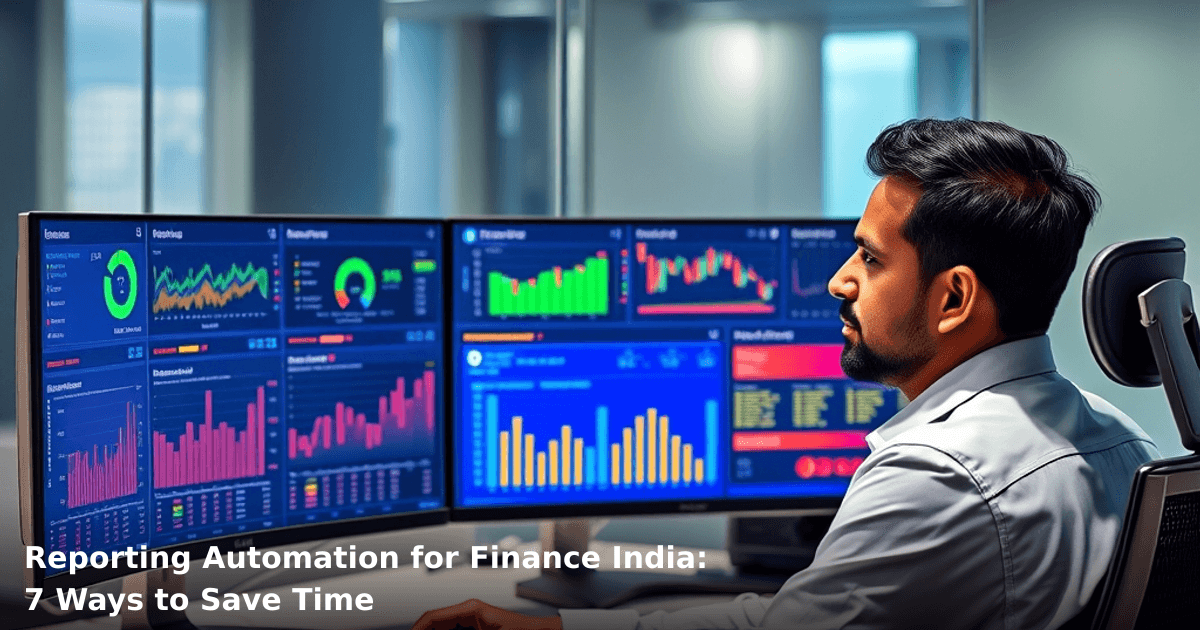
Reporting automation for finance India is no longer a luxury—it's the difference between your team drowning in spreadsheets and actually having time to spot real financial problems. We've worked with textile exporters in Surat, pharmaceutical distributors in Pune, and real estate groups across Delhi NCR who were spending 15–20 hours per week manually pulling data, formatting reports, and emailing them to stakeholders. Once they automated the process, that time dropped to under 2 hours.
Quick Answer: Reporting automation for finance India saves your team 10–15 hours per week by auto-generating financial statements, GST compliance reports, and cash flow analyses from your accounting software. Most SMBs see ROI within 3–4 months and cut reporting errors by 85%. Setup takes 2–3 weeks and costs between ₹15,000–₹40,000 depending on complexity.
Why Reporting Automation Matters for Indian Businesses
The Current Pain: Manual Reporting Is Bleeding Your Time
Your finance team isn't sitting around waiting for work. They're juggling Tally exports, TDS calculations, GST reconciliation, bank statement matching, and vendor payment tracking—all while preparing monthly P&L statements for the board. According to a McKinsey study, Indian SMBs waste an average of 18 hours per week on manual data entry and report compilation. That's not a rounding error; that's 936 hours per year per person.
Add GST compliance (quarterly GSTR filings), TDS reporting, and statutory audits into the mix, and your finance team is basically a data-entry factory instead of a strategic partner.
What's Really Costing You
- Time waste: 15–20 hours/week per finance person on manual consolidation
- Error rate: 8–12% of manually-prepared reports contain calculation or data-entry errors
- Late decisions: Reports arrive 5–7 days after month-end, making real-time decisions impossible
- Compliance risk: Missed GST deadlines or incorrect TDS filings can trigger penalties of ₹5,000–₹50,000 per violation
Reporting automation for finance India flips this: your reports generate themselves, your team focuses on analysis, and compliance deadlines become non-events.
What Is Reporting Automation and How Does It Work?
The Basic Idea
Reporting automation connects your accounting software (Tally, QuickBooks, SAP, or custom ERPs) to your CRM or business intelligence platform. Rules and templates automatically pull data, format it, calculate metrics, and deliver reports on a schedule—daily, weekly, monthly, or on-demand.
No manual exports. No email chains. No "Can you send me the updated P&L?" at 5 PM on the last day of the month.
The Real-World Flow
- Data source: Your Tally/ERP/accounting system holds all transactions
- Automation engine: Rules extract specific data (invoices, payments, GST, TDS) based on predefined logic
- Template application: Financial metrics are calculated (gross margin, cash conversion cycle, vendor aging)
- Delivery: Reports land in email, dashboard, or Slack—whoever needs them, whenever they need them
- Audit trail: Every report is timestamped and logged for compliance
One of our clients, a ₹5 crore pharma distributor in Nagpur, automated their daily cash position report. Instead of their accountant manually checking 4 bank accounts, updating an Excel sheet, and sending it to the MD by 10 AM, the report now auto-generates at 9:30 AM every morning. The MD sees it before his chai cools down.
7 Ways Reporting Automation for Finance India Saves Time
1. Eliminates Manual Data Entry and Export Cycles
Your accountant spends 3–4 hours every week exporting data from Tally, copying it into Excel, and formatting it. Reporting automation does this in seconds.
What you save: 12–16 hours/month per person Real number: One Delhi-based textile exporter saved ₹8,000/month in salary costs by freeing up one junior accountant from data-entry duty.
The automation runs on a schedule (say, every Friday at 6 PM) or on-demand. No more "I'll send it to you tomorrow"—the report is ready when you need it.
2. Cuts GST Compliance Reporting Time by 70%
GST compliance is non-negotiable in India, and it's also incredibly time-consuming. Your team must reconcile GSTR-1 (outward supplies), GSTR-2A (inward supplies), GSTR-3B (monthly return), and cross-check with your books.
Reporting automation pre-populates these reports from your invoicing and purchase data, flags mismatches, and generates an audit-ready summary in minutes instead of days.
What you save: 8–12 hours per quarter per person Compliance benefit: 95% fewer GST filing delays or penalties
A Pune-based B2B e-commerce company we worked with reduced their GST reconciliation time from 6 hours to 45 minutes per month. They also caught a ₹2.3 lakh input tax credit error that would have been missed in a manual review.
3. Automates TDS and Tax Compliance Reporting
TDS (Tax Deducted at Source) is a nightmare. You need to track TDS on contractor payments, rent, professional fees, and more—then file quarterly returns (Form 26Q) and annual summaries (Form 16A).
Manual tracking means spreadsheets, cross-checks, and a high risk of errors. Reporting automation tracks every TDS-eligible transaction, calculates the deduction, and generates a compliance-ready report for your CA.
What you save: 4–6 hours per quarter Error reduction: 90% fewer TDS discrepancies
4. Enables Real-Time Cash Flow and Working Capital Visibility
"What's our cash position today?" shouldn't require a 2-hour phone call to your accountant. Reporting automation feeds live data into a dashboard—cash in, cash out, payables, receivables, all in one place.
Your MD or CFO can see:
- Daily cash balance across all accounts (UPI, bank transfers, cheques in-transit)
- Days Sales Outstanding (DSO) and Days Payable Outstanding (DPO)
- Upcoming cash crunches (e.g., GST due in 5 days, payroll in 3 days)
- Working capital efficiency trends
What you save: 5–8 hours/week on ad-hoc cash inquiries Business impact: Better-timed borrowing decisions, fewer overdraft fees (₹500–₹2,000 per incident)
One of our clients, a ₹10 crore manufacturing firm in Bangalore, discovered a ₹18 lakh working capital gap by implementing real-time cash automation. They negotiated extended payment terms with a key vendor and freed up that cash for operations.
5. Reduces Month-End Close Time by 50–60%
The last 3 days of every month are chaos: your team is scrambling to reconcile accounts, accrue expenses, adjust inventory, and finalize P&L. This usually takes 2–3 days of overtime and stress.
Reporting automation pre-closes routine items (bank reconciliation, inter-company transfers, standard accruals) automatically, leaving your team to handle only exceptions and one-off adjustments.
What you save: 16–24 hours per month Payroll impact: Eliminates 3–4 days of month-end overtime (₹5,000–₹12,000/month in extra pay)
A Delhi-based IT services company cut their close cycle from 4 days to 1.5 days after automating routine reconciliations. Their finance team now has time for actual analysis instead of firefighting.
6. Enables Predictive Analytics and Early Warning Systems
Once your reports are automated, you can layer analytics on top. Reporting automation flags anomalies:
- Expense category spikes (e.g., "Travel costs are 40% higher than last month—why?")
- Receivables aging (e.g., "Top 5 customers are now 60+ days overdue—follow up needed")
- Margin compression (e.g., "Gross margin dropped 2% this month—check pricing or COGS")
This moves your finance team from "reporting what happened" to "predicting what's about to happen."
What you save: 3–5 hours/week on ad-hoc investigation Business impact: Catch problems 2–3 weeks earlier, recover receivables faster, adjust pricing before margin erosion spreads
7. Frees Up Your Finance Team for Strategic Work
This is the biggest one. When your accountant spends 50% of their time on manual reporting, they have 50% left for actual finance work: forecasting, cost optimization, scenario planning, vendor negotiation, financial strategy.
Reporting automation shifts the time budget:
- Before: 50% reporting, 50% analysis
- After: 10% reporting, 90% analysis
Your finance team becomes a profit center, not a cost center.
What you save: 480+ hours/year per finance person (equivalent to ₹8–₹12 lakh in salary cost redirected to high-value work)
Comparison Table: Reporting Approaches
| Aspect | Manual Excel | Off-the-Shelf SaaS | Custom Automation |
|---|---|---|---|
| Setup time | Immediate | 2–4 weeks | 3–6 weeks |
| Monthly cost | ₹0 (salary only) | ₹5,000–₹15,000 | ₹2,000–₹8,000 (after one-time build) |
| Accuracy | 85–90% | 95%+ | 98%+ |
| Customization | Unlimited | Limited | Unlimited |
| Compliance-ready | No | Partial | Yes |
| Time per report | 2–4 hours | 15–30 mins | 5–10 mins |
| Scalability | Poor | Good | Excellent |
| Best for | Solo freelancers | Mid-size SMBs | Growing SMBs, enterprises |
Step-by-Step Guide to Implementing Reporting Automation for Finance India
We build this automation for your business
Our team maps your current workflow, identifies automation opportunities, and delivers a working system in 2–3 weeks.
Step 1: Audit Your Current Reporting Needs
Before you automate, map what you're actually reporting on:
- Monthly P&L, balance sheet, cash flow
- GST compliance (GSTR-1, GSTR-2A, GSTR-3B)
- TDS reconciliation and filing
- Vendor aging, customer receivables
- Project/cost-center profitability
- Board-level KPIs (margin, cash, ROI)
List which reports are due when, who needs them, and how long each takes to prepare. This becomes your automation roadmap.
Time investment: 2–3 hours
Step 2: Assess Your Current Systems
Check what you're using:
- Accounting: Tally, QuickBooks, Zoho Books, SAP, custom ERP?
- CRM/ERP: Salesforce, Zoho, HubSpot, Pipedrive, custom?
- BI/Dashboard: Tableau, Power BI, Metabase, or none?
- Communication: Email, Slack, WhatsApp, Teams?
Most reporting automation platforms integrate with Tally, QuickBooks, and standard ERPs. If you're on a custom system, you'll need API-level integration or a middle layer like Zapier/Make.
Time investment: 1–2 hours
Step 3: Choose Your Automation Approach
Three options:
Option A: Use a dedicated financial reporting SaaS Examples: Zoho Analytics, Microsoft Power BI, Tableau Best for: Mid-size SMBs, standardized reporting needs Cost: ₹5,000–₹15,000/month Setup: 2–4 weeks
Option B: Use a workflow automation platform Examples: Zapier, Make, Integromat Best for: SMBs with moderate customization needs Cost: ₹2,000–₹5,000/month Setup: 1–3 weeks
Option C: Build a custom automation layer Examples: Python scripts, Node.js, or a custom dashboard built by a development team Best for: Large SMBs, complex compliance, unique workflows Cost: ₹1,50,000–₹5,00,000 one-time build + ₹2,000–₹8,000/month maintenance Setup: 4–8 weeks
If you're managing multiple GST filings, TDS compliance, and custom cost-center reporting, Option C usually pays for itself within 6 months.
Time investment: 2–3 hours (research and vendor meetings)
Step 4: Set Up Data Connectors and Validate Accuracy
Once you've chosen your platform, connect your Tally/ERP/accounting system. Most platforms provide direct connectors or API documentation.
Critical step: Run a test report and compare it line-by-line with your manual version. Reconcile any differences (usually due to date ranges, account mappings, or filtering logic). This validation takes 4–6 hours but saves you from silent errors later.
One client we worked with discovered their automated P&L was missing inter-company eliminations. We adjusted the logic, re-ran the report, and validated. Now it's bulletproof.
Time investment: 4–6 hours
Step 5: Build Report Templates and Define Schedules
Create templates for each report you identified in Step 1:
- Monthly P&L (auto-generate on the 1st of each month at 6 AM)
- GST reconciliation (auto-generate on the 10th, 20th, and last day of each month)
- Cash flow forecast (auto-generate every Friday)
- Board dashboard (auto-update daily, viewable 24/7)
Define who gets what, when, and how (email, Slack, dashboard, PDF, etc.).
Time investment: 3–4 hours
Step 6: Integrate with Your CRM/ERP (Optional but Recommended)
If you use a CRM or ERP for sales, projects, or operations, connect it to your reporting automation. This lets you cross-reference:
- Revenue by project or customer (from CRM) + profitability (from accounting)
- Expense by cost-center (from ERP) + variance analysis (from automation)
This is where strategic insights emerge.
For example, our Innovaira team built a CRM sync for a real estate company that linked deal-stage data to cash flow forecasts. They could see exactly which deals were cash-positive and which were cash-draining.
Time investment: 2–3 weeks (depends on complexity)
Step 7: Train Your Team and Monitor for 30 Days
Show your finance team how to access reports, interpret them, and raise exceptions. Monitor the first month of automated reports closely—check for anomalies, validate calculations, and adjust logic if needed.
After 30 days, the system should run on autopilot with minimal oversight.
Time investment: 4–6 hours (training) + 2–3 hours/week (monitoring for 4 weeks)
Common Mistakes to Avoid
Automating Before Defining Requirements
We've seen companies automate their entire reporting stack only to realize they're missing a critical metric or compliance requirement. Define what you need first, then automate.
Ignoring Data Quality Issues
Garbage in, garbage out. If your Tally setup has duplicate customers, incorrect account mappings, or inconsistent cost-center coding, your automated reports will be garbage too. Clean your data first.
Over-Customizing Too Early
Don't build a hyper-custom automation on day one. Start with 80% of what you need (standard reports), get it running for 2–3 months, then layer in the remaining 20% (custom dashboards, predictive analytics). This reduces rework and cost.
Skipping Reconciliation and Validation
We mentioned this in Step 4, but it's worth repeating: validate your first automated report against your last manual report. Don't assume it's correct just because a system generated it.
Not Planning for Compliance Changes
GST rules, TDS thresholds, and statutory reporting requirements change. Your automation must be flexible enough to adapt. Build in a quarterly review with your CA to catch regulatory shifts.
Treating Finance Automation as a Set-and-Forget Tool
It's not. Review your automated reports monthly, check for anomalies, and adjust thresholds or logic as your business evolves. A report that was perfect in Q1 might be misleading in Q3 if your business scaled.
Key Takeaways
- Reporting automation for finance India saves 10–15 hours per week by auto-generating P&L, GST, TDS, and cash flow reports from your accounting software.
- Most Indian SMBs see ROI within 3–4 months and reduce reporting errors by 85%.
- GST compliance reporting can be automated to cut reconciliation time by 70%; TDS compliance can be cut by 60%.
- Real-time cash flow dashboards help you spot working capital gaps weeks earlier, potentially saving ₹5–₹20 lakh in unnecessary borrowing.
- Month-end close time drops by 50–60%, eliminating overtime and freeing your team for strategic work.
- Setup takes 2–3 weeks for off-the-shelf solutions (₹5,000–₹15,000/month) or 4–8 weeks for custom builds (₹1,50,000–₹5,00,000 one-time).
- Validate your first automated report against your last manual one—accuracy is non-negotiable for compliance.
- Start with 80% of what you need, get it running, then add the remaining 20% after 2–3 months of observation.
Frequently Asked Questions
Quick answers about reporting-automation-for-finance-india
01 How much will reporting automation actually cost my small finance team in India? ›
A: Most cloud-based solutions like Zoho Books or Tally integration platforms run ₹5,000–₹15,000 monthly for SMBs, but you'll save ₹40,000–₹60,000 monthly in manual labor costs (roughly 80–120 hours of accountant time at ₹500–₹750/hour). The payback happens in 2–3 months for businesses processing 500+ invoices monthly. If you're doing this in-house with custom development, budget ₹2–₹5 lakhs upfront, but the ROI kicks in faster if your team is already stretched thin.
02 How long does it actually take to set up automated reporting for a business like mine? ›
A: Basic automation (auto-reconciliation, invoice-to-ledger matching, monthly P&L generation) takes 2–3 weeks for most SMBs—that's just configuration, not coding. If you're integrating with your existing GST portal, bank feeds, and inventory system simultaneously, add another 2–4 weeks. I've seen businesses go live with core reports in 10 days if they've got clean data and a dedicated person managing the transition; messy legacy data can stretch this to 8–12 weeks.
03 Is reporting automation worth it if I'm a small business with just one accountant? ›
A: Yes, absolutely—especially if that one person is drowning in manual work. A solo accountant spending 60–80 hours monthly on report generation, reconciliation, and data entry is your biggest red flag; automation frees them up for actual analysis and tax planning. Even businesses with ₹50 lakhs to ₹2 crore annual turnover see immediate relief—your accountant shifts from being a data-entry robot to actually reviewing cash flow and identifying cost leaks. If you're growing beyond ₹1 crore turnover and still manually preparing reports, you're literally losing money on delayed insights.
04 We've heard automation means we won't need an accountant anymore—is that true? ›
A: That's the biggest misconception I hear, and it's completely wrong. Automation eliminates the drudgery, not the expertise—you still need someone (internal or external) to validate data quality, catch anomalies, ensure GST compliance, and make strategic decisions. What actually happens: your accountant stops spending 40 hours on report formatting and instead spends 10 hours on real analysis, tax optimization, and audit preparation. You're not replacing your accountant; you're upgrading them from a data clerk to a financial strategist.
05 How do I actually start implementing this without disrupting my current finance workflow? ›
A: Start with your biggest pain point—usually invoice-to-payment reconciliation or month-end closing delays. Pick one reporting automation tool (Zoho Books, Vyapar, or Tally Prime with cloud integration), run it parallel with your existing system for 2–3 weeks, then switch over once you're confident in the output. Don't try to automate everything at once; most successful SMBs I've worked with automated GST reports first (saves 15–20 hours monthly), then moved to cash flow and P&L. Allocate one person as the "automation champion" for 4–6 weeks to manage the transition—it's not a set-and-forget job initially.
Need this built for your business?
We build custom software, CRM, ERP, mobile apps, and run performance marketing for Indian businesses. Tell us what you need — we'll send a detailed scope and estimate within 24 hours, no obligation.
- Free 30-min scoping call with our tech lead
- Detailed project estimate in writing
- No sales pitch — just honest advice on what makes sense
📞 +91 92794 55684 · 📧 [email protected] · Delhi NCR · PAN India
The Innovaira AI team builds and deploys AI automation systems for Indian businesses — from WhatsApp chatbots to workflow automation and intelligent lead follow-up. ISO 42001:2023 certified AI management.