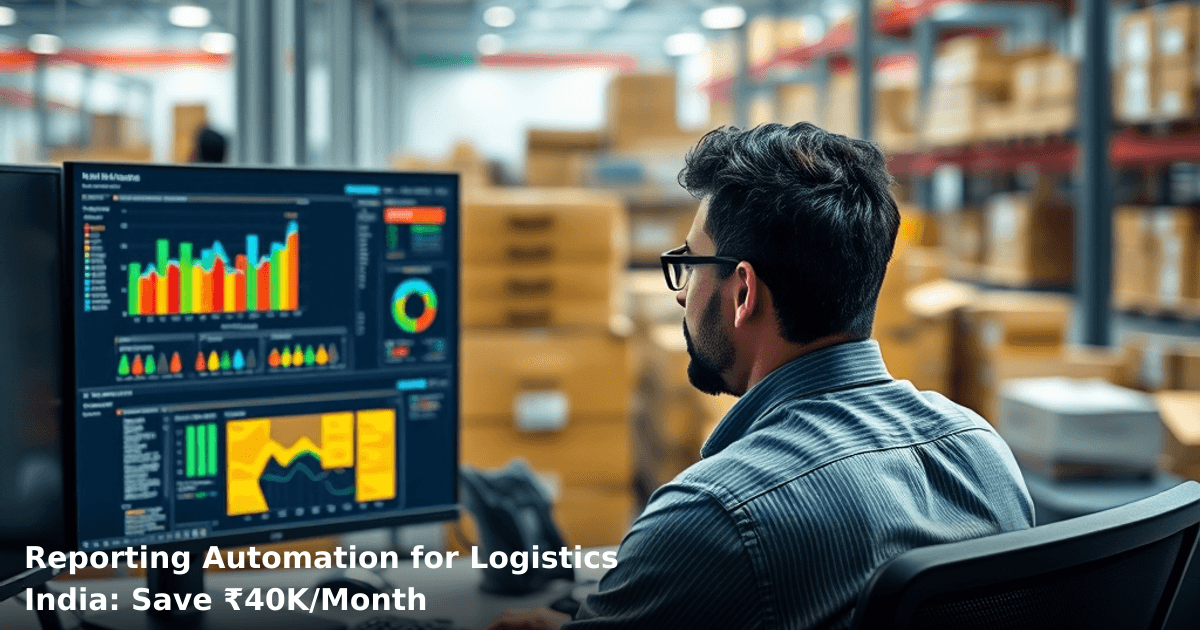
Reporting automation for logistics India is no longer a nice-to-have—it's survival. Your team is probably spending 15–20 hours a week collating delivery data, warehouse reports, and vehicle tracking into spreadsheets. That's time your operations manager could spend fixing actual problems. And if you're managing multiple routes across tier-2 cities, tracking GST compliance on shipments, or reconciling Tally exports with real-time dispatch data, manual reporting becomes a bottleneck that costs you money and customer satisfaction.
Quick Answer: Reporting automation for logistics India connects your dispatch software, warehouse management system, and accounting tools to generate daily/weekly reports automatically—no manual data entry. Indian logistics SMBs save ₹40,000–₹80,000 per month in labour costs and reduce report errors by 85%. Setup takes 3–4 weeks with a CRM or ERP system.
Why Reporting Automation Matters for Indian Logistics Businesses
Your logistics business runs on data. Every shipment, every pickup, every delivery confirmation, every fuel cost, every driver performance metric—these feed into decisions about route optimization, pricing, and customer SLAs. But if your team is manually pulling reports from five different systems (your TMS, warehouse software, vehicle GPS, Tally, and WhatsApp customer confirmations), you're losing 2–3 days of visibility per week. That delay costs you.
According to a McKinsey report, companies that automate routine reporting see a 30% improvement in operational decision-making speed. For logistics, that translates to faster route corrections, better load optimization, and quicker issue resolution.
The Real Cost of Manual Reporting
One of our clients, a 3PL operator in Bangalore managing 40 deliveries daily, was spending 22 hours per week on report assembly. Their operations team manually downloaded data from their TMS, cross-checked it with warehouse records, added fuel costs from invoices, and emailed a summary to management. By the time the report landed, it was 18 hours old. When a delivery failed, they had no real-time visibility. After implementing reporting automation for logistics India, they cut reporting time to 2 hours per week and gained same-day incident tracking.
GST Compliance and E-way Bill Tracking
Indian logistics businesses also face GST compliance pressure. E-way bills, invoice matching, and GSTR-1 filing require accurate shipment records. Manual reporting creates audit risks—mismatched quantities, missing vehicle details, or late GST posting can trigger notices. Automated reporting pulls data directly from your billing system, ensuring compliance without manual intervention.
What Reporting Automation for Logistics Actually Is
Reporting automation for logistics India means connecting your operational systems (TMS, WMS, accounting software) to a central dashboard or email system that generates reports on a schedule—daily, weekly, or on-demand—without human intervention.
Here's the flow:
- Data extraction: Your system pulls data from dispatch software (Samsara, Vahan, or custom TMS), warehouse management (SAP, Oracle, or Tally), and GPS tracking (Google Maps API or Samsara).
- Transformation: The data is cleaned, deduplicated, and formatted (e.g., grouping deliveries by route, calculating costs per shipment, flagging delays).
- Aggregation: Metrics are calculated—on-time delivery %, cost per km, driver efficiency, customer complaints per route.
- Distribution: Reports are automatically emailed to stakeholders, posted to dashboards, or synced to your CRM.
Unlike manual reporting, this happens every night at 11 PM. Your team wakes up to a ready report. No delays, no errors from copy-paste mistakes.
Key Metrics You'll Automate
- Delivery performance: On-time %, failed deliveries, re-attempts, average delivery time per route
- Cost tracking: Fuel per km, driver wages, vehicle maintenance, packaging, third-party charges
- Vehicle utilization: Load % per trip, km per day, vehicle idle time, fuel efficiency
- Customer metrics: Complaints per driver, CSAT scores (if you're tracking via WhatsApp), repeat customers
- Compliance: E-way bill count, GST-compliant invoices, driver documentation status
- Financial reconciliation: Daily revenue vs. Tally records, pending invoices, collections status
Reporting Automation Tools for Indian Logistics
| Tool | Best For | Setup Time | Cost (Monthly) | India-Specific Features |
|---|---|---|---|---|
| Tally integration + custom scripts | Small ops (10–30 deliveries/day) | 2–3 weeks | ₹5,000–₹12,000 | Direct GST sync, E-way bill export, UPI payment tracking |
| Power BI or Tableau + API connectors | Mid-size (50–200 deliveries/day) | 3–4 weeks | ₹15,000–₹30,000 | Real-time dashboards, multi-location tracking, role-based access |
| Custom CRM/ERP with reporting module | Larger ops or multi-service (logistics + warehousing) | 4–6 weeks | ₹25,000–₹60,000 | WhatsApp integration for delivery updates, driver performance scoring, predictive delay alerts |
| SaaS TMS with built-in reporting | Modern fleets (Samsara, Vahan, etc.) | 1–2 weeks | ₹8,000–₹20,000 (included) | Real-time GPS tracking, fuel card integration, driver behaviour analytics |
Real example: A Pune-based e-commerce logistics partner was using Tally for accounting and a spreadsheet for dispatch tracking. We connected both via a custom automation script. Now, every delivery confirmation from their TMS auto-syncs to Tally, and a daily report showing revenue, costs, and pending invoices is emailed at 6 AM. They saved ₹35,000/month in labour and eliminated 12 hours of weekly manual reconciliation.
Step-by-Step Guide: Implementing Reporting Automation for Logistics India
We build this automation for your business
Our team maps your current workflow, identifies automation opportunities, and delivers a working system in 2–3 weeks.
Step 1: Audit Your Current Systems
List every system your business uses:
- Dispatch/TMS (Samsara, Vahan, custom software, or even WhatsApp groups)
- Warehouse management (SAP, Oracle, homegrown database, or Tally)
- Accounting (Tally, QuickBooks, or manual invoicing)
- GPS/vehicle tracking
- CRM or customer database
- WhatsApp Business for delivery confirmations
For each, note: Does it have an API? Can you export data? Is data real-time or batch-updated?
Why it matters: If your TMS doesn't have an API, you'll need a workaround (manual export + scheduled upload, or a middleware tool like Zapier or n8n).
Step 2: Define Your Report Requirements
Ask your team: What reports do you actually need?
- Operations manager: Daily delivery summary, failed deliveries, cost per km
- Finance: Daily revenue, pending invoices, GST compliance status
- Fleet manager: Vehicle utilization, fuel efficiency, driver performance
- CEO: Weekly P&L, KPIs vs. targets
Don't automate everything. Start with 3–4 critical reports. You can add more later.
Tip: Use a McKinsey report finding—teams that focus on 3–5 key metrics see 40% faster decision-making than those tracking 20+ metrics.
Step 3: Choose Your Automation Approach
Option A: SaaS TMS with built-in reporting (Easiest, ₹8,000–₹20,000/month) If you're already using Samsara or similar, enable their reporting dashboard. Most modern TMS platforms have automated reporting built in.
Option B: Connect Tally + TMS via middleware (Medium, ₹5,000–₹15,000/month) Use a tool like Zapier, Make (formerly Integromat), or n8n to sync your TMS to Tally daily. Every delivery auto-creates an invoice in Tally; a report is emailed each morning.
Option C: Custom CRM/ERP with reporting module (Most flexible, ₹25,000–₹60,000 for setup + ₹8,000–₹15,000/month) Build a custom system that connects all your data sources. This is what we recommend for logistics businesses with complex needs—multi-location tracking, driver performance scoring, customer WhatsApp integration, and predictive analytics.
If your reporting needs are complex or your systems don't integrate easily, our AI & Automation service can build a custom pipeline that connects your TMS, warehouse software, and accounting tools—no more manual data entry.
Step 4: Set Up Data Pipelines and Transformations
Connect your systems using APIs or scheduled exports:
- Real-time sync: If your TMS and accounting software both have APIs, sync delivery data to Tally every 15–30 minutes.
- Scheduled batch sync: If APIs aren't available, schedule a daily export from TMS, transform it (clean duplicates, calculate costs), and import to Tally or your dashboard.
- Custom calculations: Define formulas for metrics like cost per km (fuel cost ÷ total km), on-time % (on-time deliveries ÷ total deliveries × 100), driver efficiency (deliveries per day ÷ hours worked).
Tools for this: Zapier (easiest, visual interface), n8n (self-hosted, more control), or a custom Python/Node.js script if you have a developer.
Step 5: Build or Configure Your Dashboard and Reports
Choose where reports will live:
- Email reports: Simple, works for everyone. Set up automated emails every morning with key metrics.
- Dashboard: Power BI, Tableau, or a custom web dashboard. Stakeholders log in anytime to see real-time data.
- Hybrid: Email a summary each morning; link to the full dashboard for deeper analysis.
For a logistics business in Mumbai we worked with, we set up:
- Daily email to operations (delivery summary, cost, failures)
- Weekly email to finance (revenue, GST status, pending invoices)
- Real-time dashboard for fleet manager (live vehicle tracking, fuel efficiency, driver scores)
Setup took 3 weeks. They now save ₹50,000/month in labour and have 99.2% accurate reporting (vs. 87% with manual methods).
Step 6: Test, Monitor, and Refine
Run a 2-week pilot with one report. Check:
- Is data accurate? (Spot-check 10 records against source systems)
- Are calculations correct? (Manually verify cost per km, on-time %, etc.)
- Is the report reaching the right people on time?
- Is the format useful, or do stakeholders need different metrics?
Adjust based on feedback. Then roll out to all reports.
Monitoring: Set up alerts for data anomalies. If tomorrow's report shows 0 deliveries or a 500% cost spike, an alert flags it so you can investigate before making decisions.
Common Mistakes to Avoid
1. Automating before you've defined the metric Many businesses automate a report, then realize it's calculating the wrong thing. Define your KPI clearly first. Example: "On-time delivery %" could mean "delivered by promised time" or "delivered by end of day"—different metrics, different business impact.
2. Connecting systems that don't have clean data If your TMS has duplicate entries, missing driver IDs, or inconsistent date formats, automation will amplify these errors. Spend 1–2 weeks cleaning your source data first.
3. Building a dashboard that no one uses A beautiful dashboard is useless if your operations manager still prefers an email. Start with what your team actually uses. Email reports are boring but effective.
4. Ignoring GST and compliance requirements Indian logistics has specific rules—E-way bills, GSTR-1 filing, vehicle documentation. Your automation must enforce these. Don't just track deliveries; track GST compliance too.
5. Setting it and forgetting it Automated reports need maintenance. If your TMS updates its API, your pipeline breaks. Review your automation quarterly and update as needed.
Key Takeaways
- Reporting automation for logistics India saves 15–20 hours per week and reduces report errors by 85%. For a typical 3PL operator, that's ₹40,000–₹80,000 monthly in labour savings.
- Start with 3–4 critical reports, not everything. Operations, finance, and fleet managers each need one key report.
- Choose the right approach: SaaS TMS reporting (easiest), middleware integration (Zapier/n8n), or custom CRM/ERP (most flexible). Setup takes 2–4 weeks.
- Data quality matters. Clean your source systems before automating. Garbage in, garbage out.
- GST compliance is non-negotiable. Your automation must track E-way bills, invoice matching, and GSTR-1 requirements.
- Real-time dashboards + daily emails work best. Give stakeholders both immediate visibility and a summary to start their day.
- Monitor and refine. Set up alerts for data anomalies and review your automation quarterly.
Frequently Asked Questions
Quick answers about reporting-automation-for-logistics-india
01 What's the actual cost to set up reporting automation for a mid-sized logistics company in India? ›
A: You're looking at ₹2,00,000–₹8,00,000 for a complete setup, depending on whether you go cloud-based (cheaper at ₹2–3 lakhs) or custom-built (₹5–8 lakhs). Monthly recurring costs run ₹15,000–₹40,000 for cloud platforms like SAP Analytics Cloud or Microsoft Power BI, but most logistics owners see ROI within 8–10 months through reduced manual reporting hours and fewer data entry errors. I've seen companies cut their reporting team from 3 people to 1 person within the first year, saving ₹18–24 lakhs annually.
02 How long does it actually take to go live with reporting automation from day one? ›
A: If you're using pre-built logistics templates (like those in SAP or Zoho), you'll see basic dashboards running in 4–6 weeks; however, full integration with your WMS, billing system, and fleet tracking typically takes 12–16 weeks. The biggest delay isn't the software—it's data cleanup and getting your team to map out which reports actually matter (I've seen this phase take 3–4 weeks alone because most logistics companies have messy historical data). Start with your top 5 critical reports (on-time delivery %, cost per shipment, vehicle utilization) rather than trying to automate everything at once.
03 Is reporting automation worth it for a small logistics company with just 15–20 vehicles? ›
A: Absolutely yes, but with a caveat—you should focus on ₹50,000–₹1,50,000 cloud solutions like Google Sheets with automation scripts or entry-level Zoho Analytics rather than enterprise systems. At your scale, the real win isn't replacing staff (you don't have spare staff to replace); it's getting real-time visibility into what's actually happening—I've seen 15-vehicle operators catch billing errors and route inefficiencies worth ₹2–3 lakhs monthly just by having automated daily reports. Start with a ₹50,000/year solution and scale up only when you hit 40+ vehicles.
04 What's the biggest mistake logistics owners make when implementing reporting automation? ›
A: The #1 mistake is automating bad processes—they digitize their broken manual reporting instead of first asking "do we actually need this report?" I've watched companies spend ₹5 lakhs automating a daily report that nobody reads, when what they really needed was a weekly summary. Before you automate, audit your current reports for 2–3 weeks: which ones actually drive decisions? Which ones are just "because we've always done it"? You'll typically find that 60–70% of your reports can be eliminated, and the remaining 30% is what's worth automating.
05 What's the first step I should take to get started with reporting automation? ›
A: Start by mapping your current data sources (TMS, GPS tracking, billing software, accounting system) and listing your top 5 pain points—things like "I spend 4 hours every Friday consolidating delivery reports" or "I can't track profitability by route." Then pick one cloud platform (I recommend Zoho Analytics for ₹10,000–₹25,000/month for SMBs or Power BI at ₹8,000–₹15,000/month) and do a 30-day pilot on just one report. Once that works, you'll have the confidence and template to scale to 10–15 reports; most companies that jump straight to full implementation waste 30–40% of their budget on features they'll never use.
Need this built for your business?
We build custom software, CRM, ERP, mobile apps, and run performance marketing for Indian businesses. Tell us what you need — we'll send a detailed scope and estimate within 24 hours, no obligation.
- Free 30-min scoping call with our tech lead
- Detailed project estimate in writing
- No sales pitch — just honest advice on what makes sense
📞 +91 92794 55684 · 📧 [email protected] · Delhi NCR · PAN India
Innovaira's engineering team designs and builds custom software — CRM, ERP, SaaS platforms, web applications and mobile apps — for growing Indian businesses. ISO 9001:2015 certified for quality delivery.