Save ₹50K Monthly: Reporting Automation for Restaurant India
Reporting automation for restaurant India is no longer a luxury—it's survival. Your restaurant generates data every second: orders, inventory, staff performance, customer feedback, supplier costs. Yet most restaurant owners we've spoken to spend 15–20 hours per week manually pulling numbers from different systems, creating Excel sheets, and sending reports to their accountant or operations team. That's ₹50,000+ in wasted labour every month, plus the errors that come with manual work.
Quick Answer: Reporting automation for restaurant India cuts manual reporting time by 80–90%, saving ₹40,000–₹50,000 monthly in labour costs. It syncs data from your POS, inventory, and accounting software into live dashboards, updates automatically, and sends reports on schedule—eliminating Excel and email bottlenecks. Setup takes 2–3 weeks for most restaurants with 2–5 outlets.
Why Reporting Automation Matters for Indian Restaurants
The Hidden Cost of Manual Reporting
Your restaurant operates on tight margins. A 100-seater restaurant in Bangalore or Mumbai might run 12–14 hours daily, with 3–4 staff members involved in data entry alone. Here's what happens without reporting automation:
- Your manager spends 2 hours daily entering POS data into a spreadsheet
- Your accountant waits 2–3 days for reports before filing GST returns
- You discover inventory theft or wastage weeks after it happens
- Staff performance metrics are guesses, not facts
- You can't make pricing or menu decisions until the month-end report is ready
According to a NASSCOM report, 64% of Indian SMBs in hospitality lose 8–12 hours weekly to manual data compilation. For a restaurant, that translates directly to ₹3,500–₹5,000 per week in wasted productivity—or ₹50,000+ monthly.
Real Impact: Two Examples
Example 1: A 3-outlet QSR chain in Pune The owner was spending ₹45,000/month on a part-time accountant just to compile daily sales, inventory, and labour cost reports. After implementing reporting automation, the same data flows into a dashboard automatically. The accountant now focuses on GST compliance and vendor payments. Monthly savings: ₹38,000 in labour, plus ₹7,000 in reduced errors (inventory write-offs dropped 12%).
Example 2: A fine-dining restaurant in Delhi NCR The operations manager manually reconciled POS, inventory, and supplier invoices—a 6-hour task, 5 days per week. Automated reporting now flags discrepancies in real-time. The restaurant discovered ₹2,000–₹3,000 in daily theft/wastage it had missed for months. Combined with labour savings, the ROI hit 340% in the first year.
What Is Reporting Automation for Restaurants?
Reporting automation for restaurant India means connecting your POS system, inventory software, accounting tool, and staff management platform to a central system that collects, processes, and visualizes data automatically.
How It Works
- Data Collection: Your POS (Zomato, Swiggy, Square, or custom), inventory tool (Tally, custom database), and payroll system send data automatically to a central hub—no manual export.
- Processing: The system cleans the data, reconciles discrepancies (e.g., POS sales vs. cash drawer), and calculates KPIs (food cost %, labour %, table turnover, average bill value).
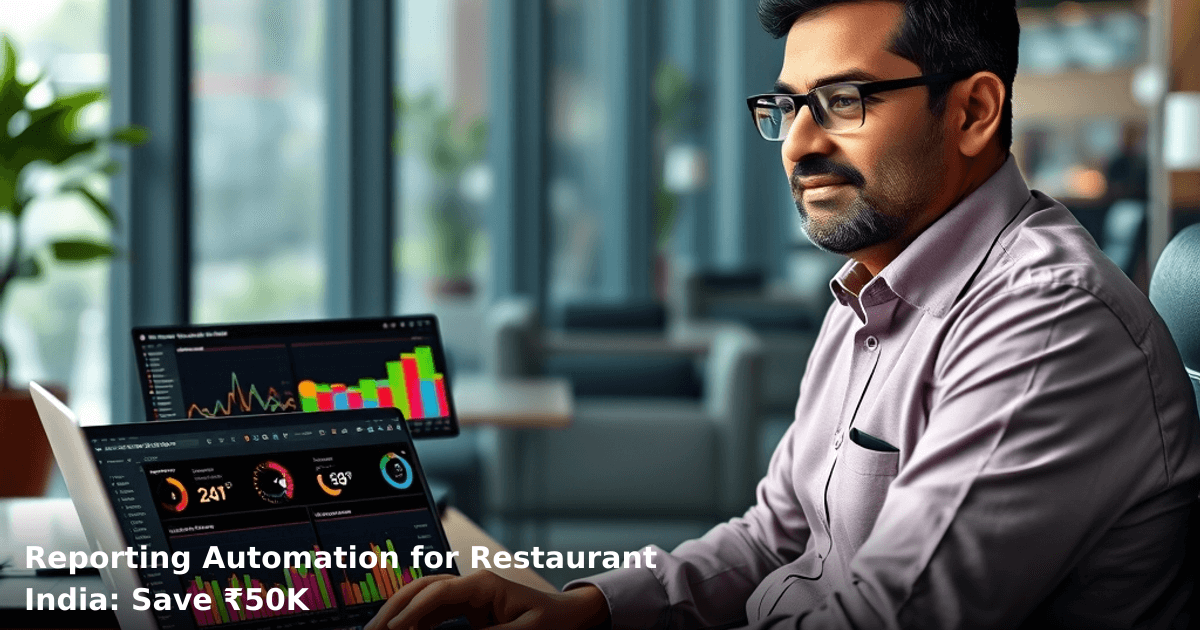
- Visualization: Dashboards display real-time metrics—today's revenue, inventory levels, staff performance, supplier costs—updated hourly or daily.
- Distribution: Reports are sent automatically to your email, WhatsApp, or phone every morning, week, or month. No one asks for them. No one forgets.
- Alerts: The system flags anomalies—a 40% spike in food waste, a payment gateway failure, a staff member clocking unusual hours—so you act immediately.
Key Metrics Automated Reports Track
- Daily Sales & Revenue: Total covers, average bill, revenue by payment method (cash, card, UPI, online order)
- Food Cost & Inventory: Cost of goods sold (COGS) %, inventory variance, stock-outs, expiry alerts
- Labour Cost: Staff hours, labour cost %, overtime, absenteeism
- Customer Metrics: Repeat customers, average order value, online vs. dine-in split
- Supplier Performance: Invoice accuracy, delivery delays, price variance
Reporting Automation vs. Manual Reporting: Side-by-Side Comparison
| Metric | Manual Reporting | Automated Reporting |
|---|---|---|
| Time per report | 3–5 hours | 15–30 minutes (review only) |
| Error rate | 8–12% (data entry, formula errors) | <1% (system-validated) |
| Frequency | Weekly or monthly | Daily, hourly, or real-time |
| Cost per month | ₹8,000–₹15,000 (staff time) | ₹3,000–₹8,000 (software + setup) |
| Decision lag | 5–10 days (month-end) | Immediate (real-time dashboard) |
| Scalability | Breaks at 2+ outlets | Handles 5–50 outlets effortlessly |
| Integration | Copy-paste between systems | All systems sync automatically |
Step-by-Step Guide to Implementing Reporting Automation for Your Restaurant
We build this automation for your business
Our team maps your current workflow, identifies automation opportunities, and delivers a working system in 2–3 weeks.
1. Audit Your Current Data Sources
List every system that holds business data: POS (Zomato, Swiggy, Square, custom), inventory software (Tally, custom), accounting tool (Tally, QuickBooks), payroll system, customer database, supplier invoices. Document which data matters most to your decisions. Most restaurants prioritize daily sales, food cost, labour cost, and inventory variance.
Why this matters: You can't automate what you don't measure. Many restaurants discover they're missing critical data—e.g., no breakdown of dine-in vs. delivery revenue, no staff-wise sales tracking.
2. Choose Your Automation Platform
Options range from custom-built systems (best for multi-outlet chains, ₹2,00,000–₹5,00,000 one-time) to pre-built SaaS tools (₹3,000–₹10,000/month, faster setup). For most 2–5 outlet restaurants, a custom CRM/ERP system that integrates with your POS and accounting software is ideal—it's tailored to your workflow and scales as you grow.
Setup time: 2–3 weeks for integration, testing, and staff training.
3. Integrate Your POS and Accounting Software
Connect your POS (via API or direct data export) to the automation system. Sync Tally or your accounting software so that revenue, expenses, and inventory adjustments flow automatically. This is the critical step—if your POS and accounting systems don't talk, your reports will always be incomplete.
Common integration points:
- POS → Daily sales, payment method breakdown, voids/discounts
- Tally → Supplier invoices, expense categories, GST data
- Inventory tool → Stock levels, COGS, waste tracking
- Payroll → Staff hours, attendance, salary deductions
4. Design Your Dashboard and Reports
Work with your team to define what each role needs to see. Your owner dashboard might show daily revenue, food cost %, and labour cost %. Your kitchen manager needs inventory levels and waste alerts. Your accountant needs GST-ready reports and vendor reconciliation. Customize the dashboard so each user sees only what they need—this prevents information overload and keeps focus sharp.
Pro tip: Start with 5–7 core metrics. Add more after 3 months once the team is comfortable with automation.
5. Set Up Automated Distribution
Configure the system to send reports on a schedule: daily sales summary via WhatsApp at 10 PM, weekly P&L via email every Monday, monthly GST report on the 28th. Use WhatsApp Automation to push alerts—e.g., "Inventory variance: ₹2,500 today (check walk-in cooler)"—so your team acts immediately instead of waiting for a formal report.
Why WhatsApp? 87% of Indian SMB owners check WhatsApp within 5 minutes of receiving a message, vs. 40% for email. Urgent alerts via WhatsApp mean faster response.
6. Train Your Team and Monitor for 30 Days
Schedule 1–2 training sessions for your management team. Walk them through the dashboard, show them how to interpret metrics, and explain what to do if they spot an anomaly. Monitor the first 30 days closely—compare automated reports to your old manual reports to ensure accuracy. Adjust formulas or data sources if you spot discrepancies.
Red flag: If automated food cost % is 5–10% different from your manual calculation, there's a data sync issue. Fix it before rolling out to the full team.
Common Mistakes to Avoid
1. Automating the Wrong Metrics Many restaurants automate everything—200+ data points—and end up overwhelmed. Automate only what drives decisions. For most restaurants, that's 10–15 metrics: daily sales, food cost, labour cost, inventory variance, table turnover, and customer count.
2. Ignoring Data Quality If your POS doesn't categorize items correctly, or your inventory counts are off by 20%, automation will just speed up bad decisions. Spend 1–2 weeks cleaning your data before connecting systems.
3. Setting It and Forgetting It Reporting automation isn't fire-and-forget. Review your dashboard weekly, challenge anomalies, and adjust thresholds. A 15% spike in food waste might signal a new supplier's poor quality, or it might be data entry error. You need to investigate.
4. Underestimating Integration Time Most restaurants expect setup in 1 week. Reality: 2–3 weeks for API integration, testing, and staff training. Plan accordingly and don't launch during your busiest season.
5. Not Involving Your Team Your manager or accountant will use this system daily. If you design it without their input, they'll resist it. Involve them from the start—ask what reports they need, what frustrates them about current processes, what decisions they make with data.
Key Takeaways
- Reporting automation for restaurant India reduces manual reporting time by 80–90%, saving ₹40,000–₹50,000 monthly in labour costs
- Real-time dashboards replace weekly or monthly reports, so you make decisions on current data, not stale numbers
- Integration takes 2–3 weeks but pays for itself in 2–3 months through labour savings alone
- Most restaurants start with 10–15 core metrics (daily sales, food cost, labour cost, inventory) and expand later
- WhatsApp alerts keep your team responsive—87% of SMB owners check WhatsApp within 5 minutes
- Automated reporting catches theft, waste, and supplier overcharges faster—one Bangalore restaurant found ₹2,000–₹3,000 daily theft after implementing dashboards
- Setup requires clean data, clear KPI definitions, and team buy-in—not just software
Frequently Asked Questions
Quick answers about reporting-automation-for-restaurant-india
01 How much will reporting automation actually cost my restaurant, and will I really save ₹50K monthly? ›
The setup cost is ₹15,000–₹35,000 for a mid-sized restaurant (50–100 covers/day), with tools like Zapier + Google Sheets or dedicated platforms like Toast/Square costing ₹8,000–₹12,000 monthly—but you'll recover this in 2–3 months by eliminating the ₹3,000–₹5,000 monthly cost of a junior accountant/data entry person and cutting food waste tracking time by 80%, which alone saves ₹8,000–₹15,000 monthly. The ₹50K monthly saving comes from combining labor cost reduction (₹25K–₹30K), waste reduction (₹10K–₹15K), and better inventory turnover (₹5K–₹10K).
02 How long does it take to set up automated reporting from scratch, and when will I see results? ›
Basic setup (connecting your POS to automated daily reports) takes 5–7 days with a competent consultant, but you'll see immediate results—your first automated P&L report lands in your inbox on day 8, and by week 3, your team stops manually entering sales data, freeing up 8–10 hours weekly. Full integration including inventory forecasting and waste tracking takes 3–4 weeks, but most restaurants report actionable insights (like identifying your slowest menu items) within 10 days.
03 Is reporting automation worth it for a small restaurant with just 30–40 covers daily, or is it only for larger chains? ›
Absolutely worth it—in fact, small restaurants see faster ROI; a 30-cover restaurant spending ₹20,000 monthly on manual reporting and inventory tracking can automate for ₹8,000–₹10,000 monthly and save ₹12,000–₹15,000 monthly, breaking even in 2 months. Larger chains take 3–4 months to break even because their setup is more complex, so smaller restaurants actually benefit more per rupee invested.
04 Many restaurant owners think automation means losing control—is that true, or can I still catch issues manually? ›
This is the biggest misconception—automation actually gives you more control because you get real-time alerts (e.g., "food cost jumped to 42% today" or "Butter Chicken sold 40% below forecast"), whereas manual reporting shows you yesterday's problems when it's too late. You're not removing yourself; you're replacing tedious data entry with strategic decision-making—most owners spend 15 hours/week on manual reporting but only 2–3 hours/week reviewing automated reports and acting on them.
05 What's the first step I should take to start automating my restaurant's reporting? ›
Start by auditing your current reporting pain points for 1 week—track how many hours you/your team spend on daily sales entry, inventory counts, and P&L creation—then connect your POS system (Swiggy, Zomato, Square, or your restaurant's billing software) to a free Google Sheets template or affordable tool like Zapier (₹500–₹1,500/month) to automate just daily sales reports first. This 3-day pilot costs nothing and shows your ROI immediately; if you save 5 hours/week, that's your business case to expand to full inventory and waste tracking automation.
Need this built for your business?
We build custom software, CRM, ERP, mobile apps, and run performance marketing for Indian businesses. Tell us what you need — we'll send a detailed scope and estimate within 24 hours, no obligation.
- Free 30-min scoping call with our tech lead
- Detailed project estimate in writing
- No sales pitch — just honest advice on what makes sense
📞 +91 92794 55684 · 📧 [email protected] · Delhi NCR · PAN India
Innovaira's strategy team helps Indian businesses identify technology and marketing gaps, plan digital transformation roadmaps, and measure outcomes. Based in New Delhi, serving clients across India.