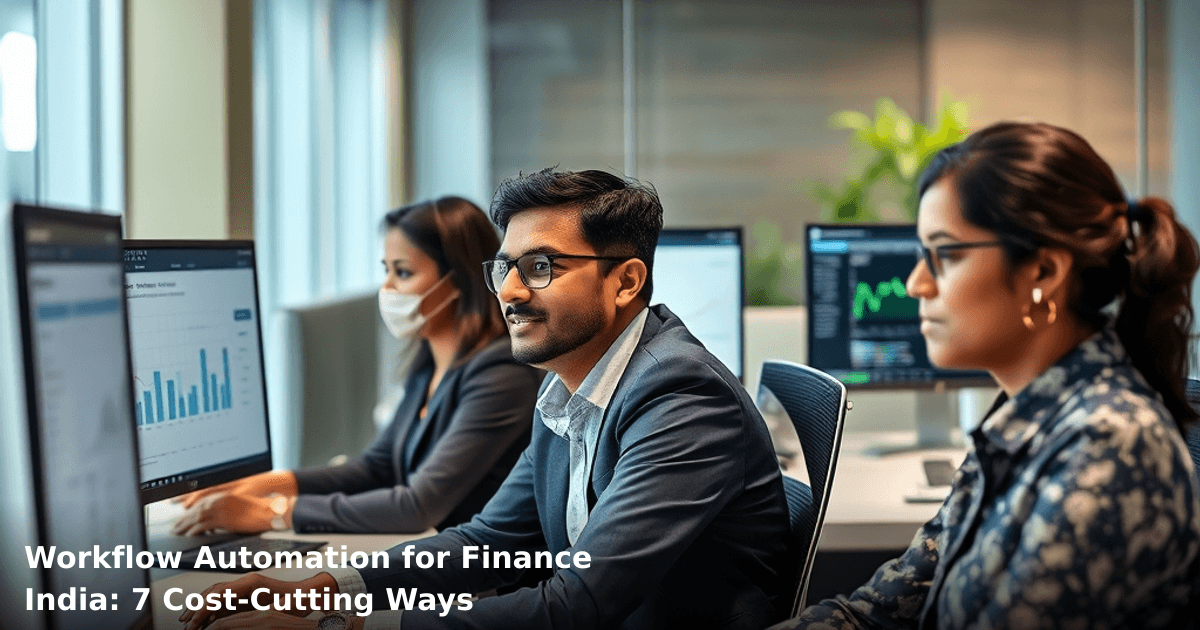
Workflow automation for finance India is quietly becoming the difference between finance teams that stay late filing GST returns and those that go home at 5 PM. We've seen this pattern across Delhi NCR, Bangalore, and Mumbai — the moment a mid-size business automates its invoicing, reconciliation, and compliance workflows, someone gets 10 hours back per week. That's not a small thing when you're running lean.
Quick Answer: Workflow automation for finance India cuts costs by eliminating manual data entry, speeding up invoice processing by 60–70%, reducing compliance errors, and freeing your finance team for strategic work. Most Indian SMBs see ₹40,000–₹1,50,000 in monthly savings within 3 months of implementation.
Why Workflow Automation Matters for Indian Finance Teams
Your finance team right now is probably doing things that a machine could do in seconds. Manual invoice entry. Reconciliation between Tally and your bank statements. Chasing down payment confirmations. Generating GST compliance reports. Each task looks small — 15 minutes here, 30 minutes there — but it adds up to weeks of wasted time per year.
According to a McKinsey report, finance teams in India spend 40% of their time on routine, repeatable tasks. That's time not spent on cash flow planning, vendor negotiations, or spotting fraud. And if you're running a business with 15+ employees, your finance person is probably drowning.
Workflow automation for finance India solves this by:
- Eliminating manual data entry — invoices flow automatically from email or your accounting software into Tally or QuickBooks
- Speeding up reconciliation — bank statements match against invoices without human intervention
- Catching errors before they become problems — duplicate invoices, mismatched amounts, GST calculation mistakes get flagged instantly
- Creating audit trails — every transaction is logged, timestamped, and traceable (crucial for GST audits)
- Freeing your team — they focus on analysis, strategy, and exceptions instead of busywork
One of our clients in Pune, a ₹5 crore textile exporter, was spending ₹2.5 lakh per month on a part-time finance assistant just to reconcile invoices and update GST records. After automating these workflows, they cut that cost to ₹60,000 — and the finance manager now actually has time to review cash flow forecasts.
What Workflow Automation for Finance Actually Looks Like
Workflow automation isn't some futuristic concept. It's a series of if-then rules that connect your existing tools. Here's what actually happens:
Invoice arrives → OCR reads it → Amount, vendor, date extracted → Matched against PO → Auto-entered into Tally → Flag sent to approver if amount > threshold → Payment scheduled → Reconciliation updated.
All of this happens without anyone touching a keyboard.
The tools involved are usually:
- Your accounting software (Tally, QuickBooks, Zoho Books)
- An automation platform (Zapier, Make, or custom API integration)
- Your bank's API (for real-time balance and transaction data)
- Email or document capture (for invoices, receipts, GST documents)
The beauty of workflow automation for finance India is that you don't need to replace your existing systems. You just connect them and automate the handoffs.
7 Ways Workflow Automation for Finance India Cuts Costs
1. Eliminates Invoice Processing Delays (Saves ₹30,000–₹80,000/month)
Manual invoice entry is one of the slowest parts of finance. Your team receives an invoice, logs into Tally, types in the vendor name, amount, date, GST percentage, and invoice number. For a business processing 200+ invoices per month, this alone takes 40–60 hours.
Automated invoice processing extracts all this data from the PDF or email attachment using OCR (optical character recognition), matches it against your purchase order, and enters it directly into Tally. If there's a mismatch — say, the invoice amount differs from the PO — the system flags it for manual review instead of letting a wrong entry slip through.
Result: 95% faster invoice processing, fewer duplicate entries, and your team focuses on exceptions instead of data entry.
We worked with a Bangalore-based logistics company processing 500+ vendor invoices monthly. After setting up automated invoice capture, their invoice-to-payment cycle dropped from 12 days to 2 days. They reduced late-payment penalties by ₹45,000 per month just by processing faster.
2. Automates Bank Reconciliation (Saves ₹25,000–₹50,000/month)
Bank reconciliation is tedious and error-prone. Your team downloads the bank statement, manually matches each transaction against Tally entries, investigates mismatches, and updates the GL. For a business with ₹50 lakh+ monthly turnover, this takes 15–20 hours per month.
Workflow automation connects your bank's API directly to your accounting software. Every transaction is automatically matched, reconciled, and flagged if there's a discrepancy. You get a real-time dashboard showing your actual cash position without waiting for month-end.
Result: Reconciliation done daily instead of monthly, fewer errors, instant visibility into cash flow.
One of our clients in Delhi NCR, a ₹10 crore IT services firm, was spending 3 days every month on reconciliation. After automating this workflow, reconciliation now happens overnight. They caught a ₹2.2 lakh duplicate payment within hours instead of weeks.
3. Speeds Up GST Compliance (Saves ₹40,000–₹1,20,000/month)
GST compliance is a nightmare. You need to categorize every transaction by HSN code, track input tax credits, generate GSTR-1 and GSTR-2A, and reconcile mismatches. If you get this wrong, you face penalties or audit notices.
Workflow automation pulls invoice data, automatically assigns HSN codes based on product/service type, calculates ITC eligibility, and generates GST reports that are 95% ready for filing. You still review and approve, but the grunt work is done.
Result: GST filing takes 2–3 hours instead of 2–3 days. Fewer compliance errors. Reduced audit risk.
A ₹2 crore hospitality business in Mumbai was filing GST returns manually and making mistakes quarterly — costing them ₹15,000–₹25,000 in penalties. After automating GST data extraction and report generation, they've had zero compliance issues in the past year.
4. Reduces Payment Processing Errors (Saves ₹15,000–₹40,000/month)
Manual payment processing creates opportunities for fraud and error. Wrong amount entered. Wrong vendor account number. Duplicate payments. These mistakes cost Indian SMBs an average of ₹3–₹8 lakh per year.
Workflow automation enforces approval hierarchies, validates vendor bank details against a master file, checks for duplicate invoices before payment, and generates a payment register that's audit-ready. Payments are scheduled automatically based on invoice due dates, not when someone remembers to process them.
Result: 99.8% accuracy in payments. Fewer fraud incidents. Better vendor relationships (you pay on time).
5. Cuts Down Manual Compliance Documentation (Saves ₹20,000–₹60,000/month)
Compliance documentation — TDS certificates, Form 26AS reconciliation, vendor master updates, audit trails — takes forever to compile manually. Your finance person spends days gathering documents, cross-referencing, and formatting for auditors.
Workflow automation maintains a live audit trail of every transaction, auto-generates TDS schedules, flags compliance gaps, and creates audit-ready documentation on demand. Auditors can access this directly instead of you scrambling to compile it.
Result: Audit preparation time cut by 70%. Fewer compliance surprises. Better documentation for tax planning.
6. Automates Expense Reimbursement (Saves ₹10,000–₹30,000/month)
Employee expense reimbursement is a mess. Employees submit receipts (often blurry photos), finance manually enters amounts, checks for policy violations, approves, and processes. For a 50-person team with 30+ expense reports per month, this is 20+ hours of work.
Workflow automation lets employees upload receipts via WhatsApp or a mobile app. OCR extracts the amount and category, checks against policy rules, routes to the right approver, and schedules reimbursement automatically. No manual entry.
Result: Reimbursement processed in 24 hours instead of 5–7 days. Employees happy. Finance team freed up.
7. Enables Real-Time Financial Reporting (Saves ₹30,000–₹80,000/month)
Most Indian SMBs generate financial reports monthly because manual consolidation takes forever. You don't know your actual P&L until 10–15 days into the next month. That's too late for decision-making.
Workflow automation connects all your business data sources — sales software, expense tracking, inventory, payroll — and updates your financial dashboard in real-time. You see your actual profit margin, cash position, and expense trends daily.
Result: Better financial decisions. Faster response to cash flow issues. No surprises at month-end.
Comparison: Manual vs. Automated Finance Workflows
| Task | Manual Process | Automated Workflow | Time Saved | Cost Saved |
|---|---|---|---|---|
| Invoice processing (100 invoices/month) | 20 hours | 2 hours | 18 hours | ₹18,000–₹36,000 |
| Bank reconciliation (monthly) | 16 hours | 1 hour | 15 hours | ₹15,000–₹30,000 |
| GST report generation | 12 hours | 1.5 hours | 10.5 hours | ₹10,500–₹21,000 |
| Payment processing (50 payments/month) | 8 hours | 0.5 hours | 7.5 hours | ₹7,500–₹15,000 |
| Expense reimbursement (30 reports/month) | 10 hours | 1 hour | 9 hours | ₹9,000–₹18,000 |
| Compliance documentation | 15 hours | 2 hours | 13 hours | ₹13,000–₹26,000 |
| Total per month | 81 hours | 7.5 hours | 73.5 hours | ₹73,000–₹1,46,000 |
That's roughly 3 full-time finance roles worth of work, automated.
Step-by-Step Guide to Implementing Workflow Automation for Finance India
We build this automation for your business
Our team maps your current workflow, identifies automation opportunities, and delivers a working system in 2–3 weeks.
Step 1: Audit Your Current Finance Workflows
Before you automate anything, map out what your finance team actually does. Spend a week tracking:
- Which tasks take the most time?
- Which tasks are repetitive (same steps every time)?
- Where do errors happen most?
- Which tasks have manual handoffs between team members?
Use a simple spreadsheet or even WhatsApp notes. The goal is to identify the 3–5 workflows that eat up the most time or cause the most errors.
Most businesses find that invoice processing, reconciliation, and GST compliance are the top 3.
Step 2: Choose Your Core Accounting Software (If You Haven't Already)
If you're still using Excel or a paper ledger, this is the moment to move to cloud-based accounting software. Options for Indian SMBs:
- Tally (if you need offline capability and GST compliance built-in)
- Zoho Books (affordable, cloud-based, good API support)
- QuickBooks (if you have global operations)
- Busy (popular in tier-2 cities, GST-ready)
Your choice depends on your business size, GST compliance needs, and whether you need multi-user access.
Step 3: Set Up Bank API Integration
Connect your bank account directly to your accounting software. This requires:
- Logging into your bank's developer portal (ICICI, HDFC, Axis, and most tier-1 banks support this)
- Requesting API access (usually takes 2–5 days)
- Configuring the integration in your accounting software or automation platform
Once connected, your bank statements flow in automatically every night. No more manual downloads.
Step 4: Automate Invoice Capture and Entry
Set up a system where invoices flow directly from email into your accounting software. You can use:
- Native features in your accounting software (most have email-to-invoice features)
- Zapier or Make (if you need custom logic or your accounting software doesn't have this)
- Custom API integration (if you have specific requirements)
Configure it so that:
- Invoices arrive in a dedicated email address
- OCR extracts vendor, amount, date, and GST
- System matches against your PO
- Approver is notified if amount exceeds threshold
- Invoice is auto-entered into Tally once approved
This takes 3–5 days to set up properly.
Step 5: Set Up Approval Hierarchies and Compliance Rules
Define who approves what:
- Invoices under ₹50,000: Auto-approved
- Invoices ₹50,000–₹5,00,000: Finance manager approval
- Invoices above ₹5,00,000: CFO approval
- Duplicate invoices: Flagged and held
- Invoices with GST mismatches: Flagged for review
These rules ensure that automation doesn't bypass necessary controls.
Step 6: Automate Reconciliation and Reporting
Once invoices and bank data flow in automatically, set up daily reconciliation:
- Unmatched transactions are flagged
- Reconciliation dashboard updates every morning
- Monthly financial reports are generated automatically
- Alerts are sent if cash balance falls below a threshold
This gives you real-time visibility into your financial position.
Step 7: Train Your Team and Monitor
Your finance team now has a different job. Instead of data entry, they're exception handlers and analysts. Spend 2–3 days training them on:
- How to review flagged transactions
- How to investigate mismatches
- How to use the new dashboards
- When to manually override automation
Monitor the system for the first 2–4 weeks. You'll find edge cases that need adjustment. That's normal.
Common Mistakes to Avoid
Automating before you have clean data. If your vendor master file has duplicate entries or your historical data is messy, automation will amplify the mess. Clean your data first.
Not setting approval hierarchies. Just because something is automated doesn't mean it shouldn't be reviewed. Define who approves what before you go live.
Choosing the wrong accounting software. Don't automate around a tool that doesn't fit your business. If you're a GST-heavy business, use software with strong GST features built-in.
Ignoring security. Workflow automation means your accounting software is connected to your bank API, email, and other systems. Use strong passwords, enable two-factor authentication, and audit access logs monthly.
Going too fast. Automate one workflow at a time. Get invoice processing right before you move to reconciliation. This reduces errors and makes troubleshooting easier.
Not documenting the workflows. When your finance person leaves, no one else knows how the automation works. Document every workflow, every approval rule, and every integration.
Key Takeaways
- Workflow automation for finance India typically saves ₹40,000–₹1,50,000 per month for mid-size SMBs by eliminating manual data entry, speeding up invoice processing, and improving compliance.
- The biggest time savings come from automating invoice processing (18 hours/month), bank reconciliation (15 hours/month), and GST compliance (10.5 hours/month).
- Start with your three most painful workflows — usually invoicing, reconciliation, and compliance — before expanding to other areas.
- Choose cloud-based accounting software with strong API support and GST compliance features.
- Automation isn't a set-and-forget solution. You need clear approval hierarchies, error handling, and team training.
- Real-time financial dashboards let you make decisions faster instead of waiting for month-end reports.
If you're struggling with the technical setup or need help designing workflows that fit your specific business, our AI & Automation service can handle the integration and configuration for you. We've set up automated finance workflows for 50+ Indian businesses across Delhi NCR, and we know the common pitfalls.
Frequently Asked Questions
Quick answers about workflow automation for finance india
01 How much will workflow automation for finance actually cost my small business in India? ›
A: Most Indian SMBs spend ₹50,000–₹2,50,000 upfront for basic automation setup (software licenses + implementation), then ₹5,000–₹15,000 monthly for cloud-based tools like Zoho Books or Tally Prime integration. The payback happens in 6–9 months when you cut manual invoice processing time by 60–70%, which saves roughly ₹1.5–₹3 lakhs annually in staff time alone.
02 How long does it actually take to set up workflow automation in our finance department? ›
A: For a typical 10–50 person SMB, you're looking at 4–8 weeks from decision to full implementation—2 weeks for process mapping, 2–3 weeks for software configuration, and 1–2 weeks for staff training and go-live. If you're automating just invoicing and expense approvals (the most common starting point), you can see results in 3–4 weeks, though full ROI takes the 6–9 month timeline I mentioned.
03 Is workflow automation worth it if we're a 15-person company with just one finance person? ›
A: Absolutely—this is exactly where automation delivers the fastest ROI. Your single finance person is likely spending 30–40 hours weekly on manual tasks like invoice entry, reconciliation, and approval chasing; automation cuts this to 8–10 hours, freeing them to focus on cash flow analysis and compliance. We've seen 12–20 person companies reduce finance headcount needs by 0.5 FTE or redeploy that person to growth-focused work.
04 We've heard automation will replace our finance staff—is that true? ›
A: This is the biggest misconception, and it actually works the opposite way for most Indian SMBs. Automation eliminates repetitive data entry and approval bottlenecks, but your team handles higher-value work—vendor reconciliation, financial forecasting, and compliance—that machines can't do. In reality, 70% of SMBs that automate keep their staff and either grow the business faster or reduce hiring costs as they scale.
05 Where should we actually start if we've never done automation before? ›
A: Start with your biggest pain point—usually invoice-to-payment processing or expense reimbursements—because these are high-volume, repetitive, and easy to measure. Pick one workflow, implement it with a tool like Zoho Books or Freshbooks (₹1,500–₹5,000/month), train your team in week 1, and measure time savings by week 3. Once you see 50+ hours saved monthly, you'll have the confidence and data to expand to GST filing, bank reconciliation, or payroll automation next.
Need this built for your business?
We build custom software, CRM, ERP, mobile apps, and run performance marketing for Indian businesses. Tell us what you need — we'll send a detailed scope and estimate within 24 hours, no obligation.
- Free 30-min scoping call with our tech lead
- Detailed project estimate in writing
- No sales pitch — just honest advice on what makes sense
📞 +91 92794 55684 · 📧 [email protected] · Delhi NCR · PAN India
Innovaira's engineering team designs and builds custom software — CRM, ERP, SaaS platforms, web applications and mobile apps — for growing Indian businesses. ISO 9001:2015 certified for quality delivery.