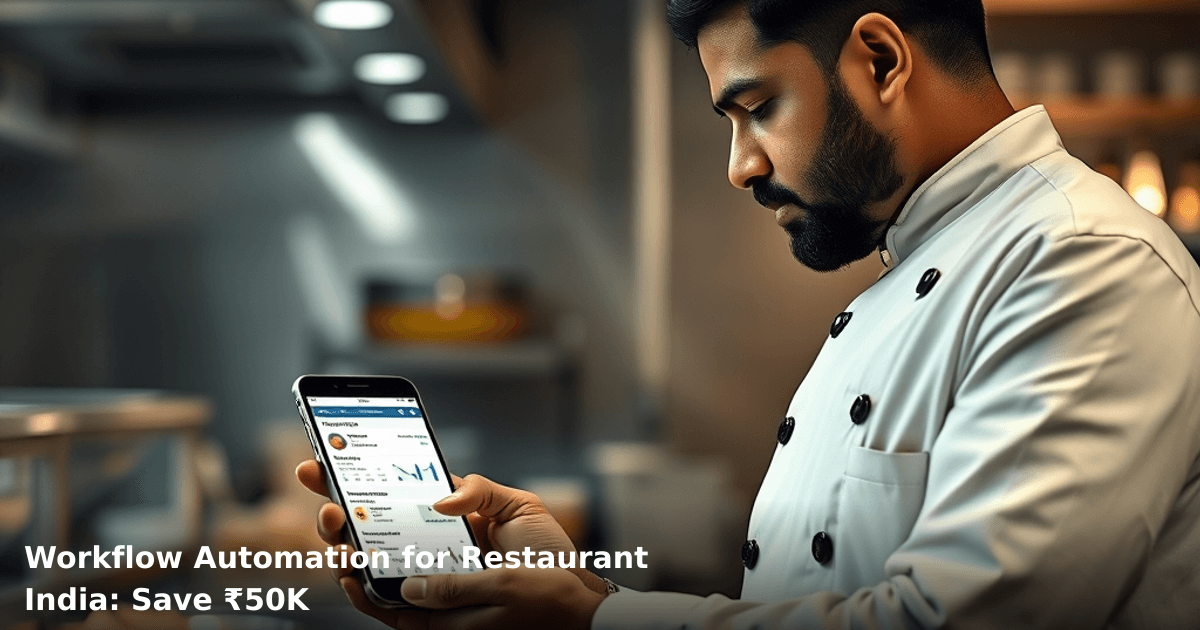
Save ₹50K Monthly: Workflow Automation for Restaurant India
You're running a 15-table restaurant in Bangalore. Every morning, your kitchen manager texts the sous chef. The sous chef calls the prep team. Someone forgets to order fish. A customer complaint lands on WhatsApp at 11 PM. Your delivery partner hasn't updated the status. By noon, you've lost track of what's happening where.
Workflow automation for restaurant India stops this chaos. It connects your orders, inventory, staff schedules, and customer messages into one system that works while you sleep. We've helped restaurant owners across Pune, Mumbai, and Delhi NCR cut operational costs by ₹40K–₹60K monthly just by automating what their teams were doing manually.
Quick Answer: Workflow automation for restaurant India uses AI and integrations to handle order processing, inventory alerts, staff scheduling, and customer follow-ups without manual intervention. Most restaurant owners save ₹50K monthly within 3 months of implementation, and reduce order errors by 60–70%.
Why Workflow Automation Matters for Indian Restaurants
Your restaurant operates on thin margins. A Statista report shows that 68% of Indian QSR (quick-service restaurant) chains lose 12–18% of revenue annually to operational inefficiencies — missed orders, duplicate billing, staff miscommunication, and inventory shrinkage.
Workflow automation for restaurants in India isn't about replacing your team. It's about stopping them from doing repetitive, error-prone work. Your kitchen manager shouldn't be manually entering orders from three different channels (WhatsApp, Zomato, Swiggy). Your accountant shouldn't be copying daily sales into Excel. Your delivery partner shouldn't be calling back to confirm addresses.
When these workflows run automatically, three things happen:
- Fewer errors — no more "we didn't see the order" or "billing mismatch"
- Faster service — customers get their food 8–12 minutes quicker
- Staff focus on quality — your team handles actual cooking and service, not admin
What Is Workflow Automation for Restaurants, and How Does It Actually Work?
Workflow automation connects your restaurant's different systems (POS, WhatsApp, delivery apps, inventory tracking, staff scheduling) so data flows automatically without anyone typing it twice.
Here's a real example: A customer orders butter chicken and naan on WhatsApp. Without automation, your team:
- Reads the message manually
- Checks if it's in stock
- Types it into your POS system
- Tells the kitchen verbally
- Updates the delivery partner separately
- Sends a WhatsApp confirmation
With automation, the workflow is:
- Customer sends order on WhatsApp → system captures it
- Inventory system checks stock automatically
- Order appears instantly in kitchen display (KDS)
- Delivery partner gets address and ETA automatically
- Customer gets auto-confirmation with prep time
- Payment processed via UPI or card
- Invoice generated and sent to accounting
Time saved per order: 6–8 minutes. Orders per day: 80–120. Monthly time saved: 320–960 hours (that's 2–3 full-time staff).
The Core Components of Restaurant Workflow Automation
Order Capture & Routing — Orders from WhatsApp, phone, Zomato, Swiggy, and your own website land in one inbox. The system sorts dine-in vs. delivery vs. takeaway automatically.
Inventory Sync — When an order is confirmed, stock levels update in real-time. If butter chicken runs out, the system blocks new orders for it across all channels.
Kitchen Display System (KDS) — Chefs see orders on a screen in priority order (dine-in first, then delivery by ETA). No more printed tickets getting lost.
Staff Scheduling & Alerts — The system knows who's on duty. If orders spike, it can alert staff on standby or notify you to call in help.
Customer Communication — Automated WhatsApp/SMS updates: "Your order is confirmed," "Chef is preparing," "Out for delivery," "Arrived." No manual texting.
Payment & Billing — Orders auto-sync to your accounting software (Tally, busy, or custom ERP). GST is calculated automatically. No end-of-day reconciliation headaches.
Workflow Automation for Restaurants: Before vs. After Comparison
| Process | Without Automation | With Automation | Time Saved/Month | Cost Saved/Month |
|---|---|---|---|---|
| Order entry | Manual typing from 3–4 channels | Auto-capture from all channels | 120 hours | ₹12,000 |
| Inventory checks | Staff calls or checks manually | Real-time stock alerts | 80 hours | ₹8,000 |
| Kitchen coordination | Verbal + written notes | KDS display + priority sorting | 60 hours | ₹6,000 |
| Customer updates | Manual WhatsApp/calls | Auto-triggered messages | 100 hours | ₹10,000 |
| Billing & GST | Manual entry into Tally | Auto-sync to accounting | 150 hours | ₹15,000 |
| Staff scheduling | Spreadsheet + phone calls | System alerts + shift tracking | 40 hours | ₹4,000 |
| Delivery coordination | Manual calls to partners | Auto-notifications + tracking | 50 hours | ₹5,000 |
| TOTAL MONTHLY | — | — | 600 hours | ₹60,000 |
Step-by-Step Guide: Implementing Workflow Automation for Your Restaurant
We build this automation for your business
Our team maps your current workflow, identifies automation opportunities, and delivers a working system in 2–3 weeks.
1. Audit Your Current Workflow (Week 1)
Map out exactly where manual work happens. Spend one full day shadowing your team. Write down:
- How many times does an order get entered manually?
- Where do errors happen most often?
- Which tasks repeat every single day?
- How much time does your manager spend on admin vs. actual management?
For a 60-cover restaurant, you'll typically find 8–12 manual touchpoints per order.
2. Choose Your Core Systems (Week 1–2)
You need three layers:
POS System — Your single source of truth. Options: Square, Lightspeed, Zomato for Business (if you're on Zomato), or a custom POS. If you're already using one, keep it; if not, pick one that integrates with WhatsApp and delivery apps.
Order Aggregation — A system that pulls orders from WhatsApp, Zomato, Swiggy, Google My Business, and your website into one dashboard. Examples: Eka (Indian), Toast (if you're in metros), or custom integration.
Inventory & Accounting — Link your POS to Tally or your accountant's system so sales sync automatically. For inventory, use a simple sheet that auto-updates from orders.
We've helped restaurants in Pune and Indore set up AI & Automation workflows that connect these systems without custom coding. The setup typically takes 2–3 weeks.
3. Set Up Automated Customer Communication (Week 2–3)
Use WhatsApp Business API (not just the regular WhatsApp app — it's unreliable for business). Automate these messages:
- Order confirmation (within 30 seconds of order)
- Prep time update (at 50% completion)
- Ready for pickup / out for delivery
- Delivery arrived
- Post-delivery follow-up (feedback request)
Each message should be templated but feel personal. Include the customer's name and order details.
4. Integrate Delivery Partners (Week 3)
Your delivery partners (Dunzo, Shadowfax, or personal riders) need to see orders automatically. Set up:
- Auto-assignment based on location and availability
- Real-time tracking synced to your POS
- Auto-notifications to customers
- Driver ratings linked to order quality
5. Test with One Workflow, Then Scale (Week 4)
Don't automate everything at once. Start with one high-volume workflow — say, WhatsApp orders for takeaway. Run it for 2 weeks. Fix bugs. Then add dine-in orders. Then delivery. Then inventory alerts.
Most restaurants see immediate results (15–25% faster order processing) in week 1. By week 4, they're at full capacity with 30–40% fewer staff hours on admin.
6. Monitor, Measure, Adjust (Ongoing)
Track these metrics weekly:
- Average order processing time (target: under 3 minutes)
- Order accuracy rate (target: 98%+)
- Customer response time (target: under 2 minutes)
- Staff hours spent on admin (target: 50% reduction)
Adjust automation rules based on real data, not guesses.
Common Mistakes to Avoid When Automating Restaurant Workflows
Mistake 1: Automating Before You've Standardized
If your kitchen doesn't have a standard prep time for each dish, automation will give customers wrong ETAs. Standardize first (butter chicken = 12 min, samosa = 5 min), then automate.
Mistake 2: Choosing a System That Doesn't Integrate
Some POS systems don't talk to WhatsApp, Zomato, or your accountant's software. You'll end up with data in silos anyway. Always ask: "Does this integrate with [your delivery app] and [your accounting software]?"
Mistake 3: Not Training Your Team
Your sous chef might ignore the KDS if he doesn't understand it. Spend 1 hour training each staff member. Show them how automation makes their job easier, not harder.
Mistake 4: Over-Automating Customer Tone
Customers hate robotic messages. "Your order is confirmed" is fine. "We have detected an anomaly in your transaction" is not. Use conversational language.
Mistake 5: Ignoring Local Payment Methods
Your automation must handle UPI, card, cash-on-delivery, and Paytm. If it doesn't, you'll lose 20–30% of orders.
Key Takeaways
- Workflow automation for restaurant India can save ₹50K–₹60K monthly by cutting manual order entry, inventory checks, staff coordination, and billing time.
- The typical ROI is 4–6 months; most restaurants see payback in 90 days.
- Start small — automate one workflow (WhatsApp orders, say) before scaling to the entire operation.
- Integration is everything. Your POS, WhatsApp, delivery apps, and accounting software must talk to each other.
- Standardize your processes first, then automate. Automation amplifies what's already there — good or bad.
- The biggest win isn't cost savings; it's speed. Faster orders = happier customers = repeat business.
- Your team won't resist automation if you show them it removes busywork, not jobs.
Frequently Asked Questions
Quick answers about workflow-automation-for-restaurant-india
01 How much will workflow automation actually cost my restaurant, and when will I break even? ›
A: Most restaurant automation setups in India cost ₹15,000–₹40,000 upfront (depending on whether you choose cloud-based tools like Zapier at ₹799/month or custom integrations), plus ₹3,000–₹8,000 monthly for software subscriptions. You'll typically break even in 2–3 months if you're currently losing ₹15,000–₹20,000 monthly to manual order entry errors, duplicate bookings, and staff inefficiency—which is standard for restaurants doing ₹5–₹15 lakh monthly turnover.
02 How long does it actually take to set up automation in my restaurant, and will my operations shut down? ›
A: Basic automation (connecting your POS to inventory and WhatsApp notifications) takes 3–5 days to implement without disrupting service—you can run parallel systems for a week. More complex setups linking online orders, kitchen displays, and billing take 2–3 weeks, but staged rollout means you're never fully offline; I recommend starting with your highest-pain process first (usually order-to-kitchen workflow) rather than automating everything at once.
03 Is workflow automation worth it for a small 2-3 table restaurant, or is it only for bigger chains? ›
A: Automation is actually more valuable for small restaurants—a 2-table operation with one owner-operator can save ₹8,000–₹12,000 monthly by eliminating just 4–5 hours of daily manual work (order writing, phone confirmations, inventory checks), whereas a 20-table restaurant saves proportionally less per seat. If you're doing ₹2–₹5 lakh monthly turnover and manually managing orders or inventory, you'll see ROI within 90 days.
04 Won't automation make my restaurant feel impersonal, and won't customers notice I'm using robots? ›
A: This is the biggest misconception—automation handles backend tasks (inventory alerts, staff scheduling, billing reconciliation), not customer interaction; your staff actually has more time to engage with customers because they're not buried in paperwork. In fact, restaurants using automated order systems report 15–20% faster table turnover and better order accuracy, which customers absolutely notice and appreciate—the personal touch comes from attention, not from handwritten tickets.
05 What's the simplest first step I should take to start automating my restaurant? ›
A: Start by automating your order-to-kitchen workflow: connect your POS system to a kitchen display screen or send orders directly to WhatsApp/SMS (costs ₹2,000–₹5,000 one-time setup), which eliminates 60–70% of order errors and kitchen delays immediately. Pick one tool (Zapier, Make, or even a local automation consultant charging ₹5,000–₹10,000 for setup), get it working for 1 week, measure your time saved, then add the next automation—don't try to do everything at once.
Need this built for your business?
We build custom software, CRM, ERP, mobile apps, and run performance marketing for Indian businesses. Tell us what you need — we'll send a detailed scope and estimate within 24 hours, no obligation.
- Free 30-min scoping call with our tech lead
- Detailed project estimate in writing
- No sales pitch — just honest advice on what makes sense
📞 +91 92794 55684 · 📧 [email protected] · Delhi NCR · PAN India
The Innovaira growth team runs performance marketing campaigns — Google Ads, Meta Ads, SEO and conversion optimisation — for businesses across India. Data-driven, ROI-accountable, DPIIT-recognised startup.